

T H A N K Y O U !
You have purchased a Tie made in Italy with NFC technology.
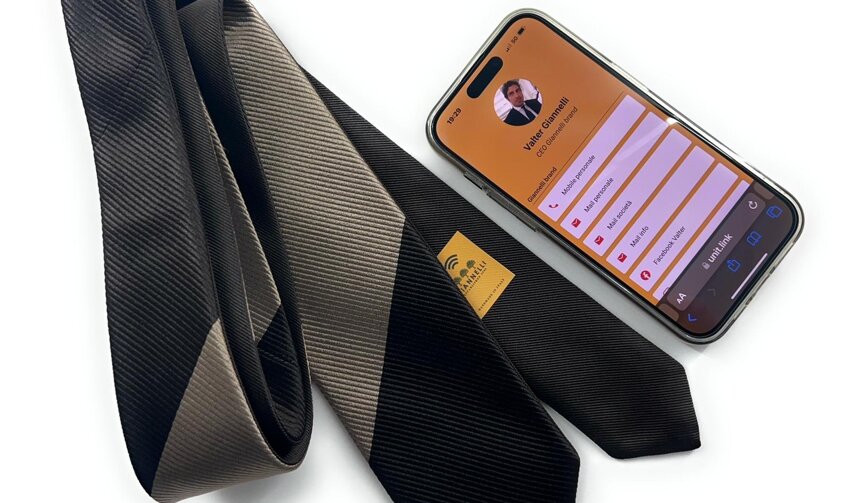

Model Patented by us.
We would like to thank you for choosing our Tie with NFC technology, unique and inimitable in its kind for both design and technology application. We want to inform you that this model is patented, therefore it enjoys intellectual property rights and cannot be produced or imitated by any other company. We hope you enjoy the Tie you purchased and take advantage of all the features
of the NFC technology

Create your profile, add your links and share it with whoever you want
Create a page that reflects your style.
Your business card that you can update at any time, enriching it with personal content to share with whomever you want.

One link for all your links
Create all the links you want: website, social profiles, phone number, email. Create your profile, add your links, and share your Unit.Link. A simple and easy way to create a landing page for all your links.
Click and access the link to register, enter your email, then you will receive a notification and you can access your unit link and customize your business card.
Connect, Create, Share.
Register
Scroll slowly with your phone over the label until a link appears. We protect your privacy.
For registration, you will be redirected to an external link in order to use the service to create your profile. All personal data entered will not be stored by us, but by the owner of the unit.link link.
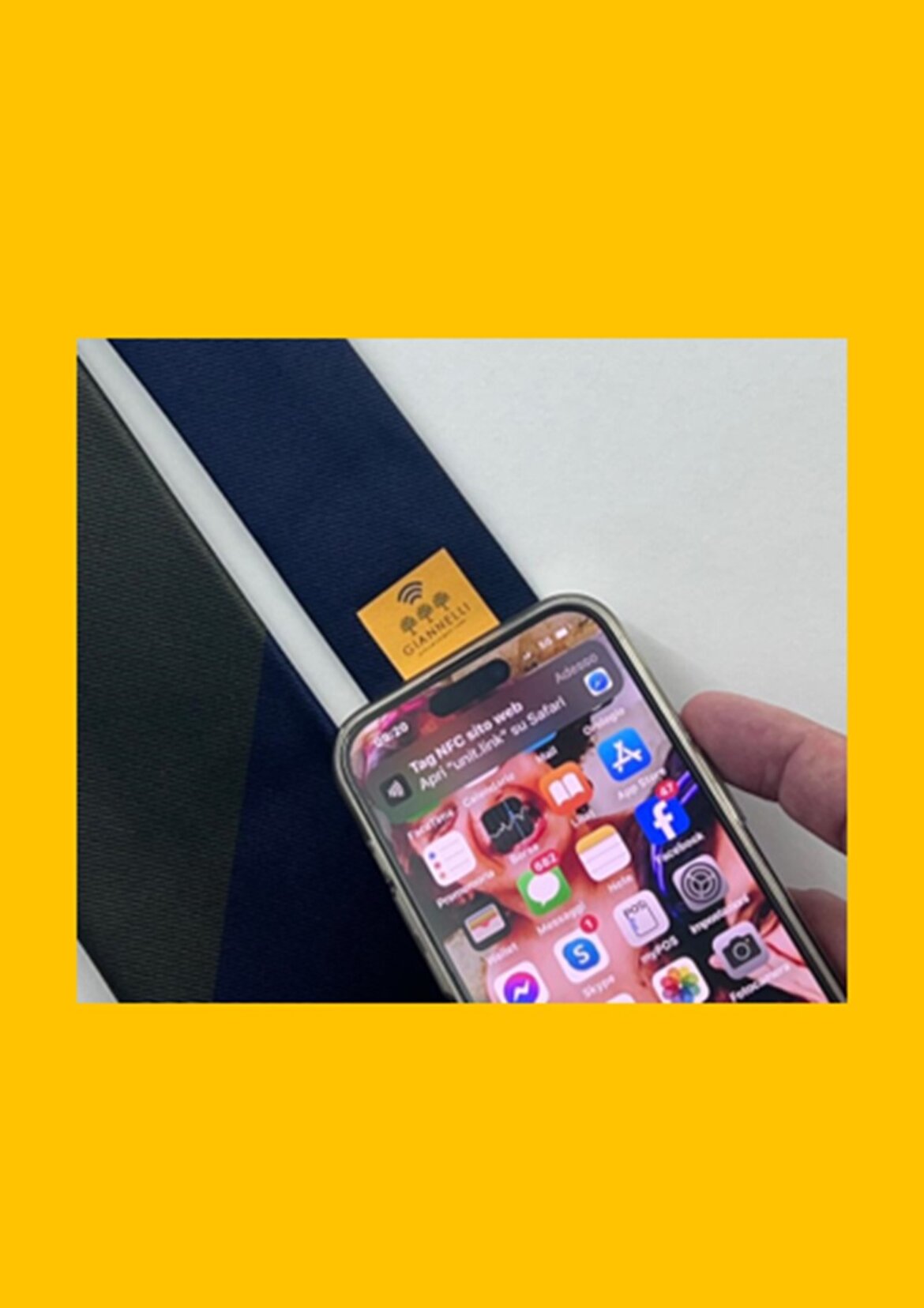
Create your profile
Enter the link you have viewed, following all the steps for registration and creating your profile. The credentials you enter will be needed in the future to access your profile to modify anything you want.
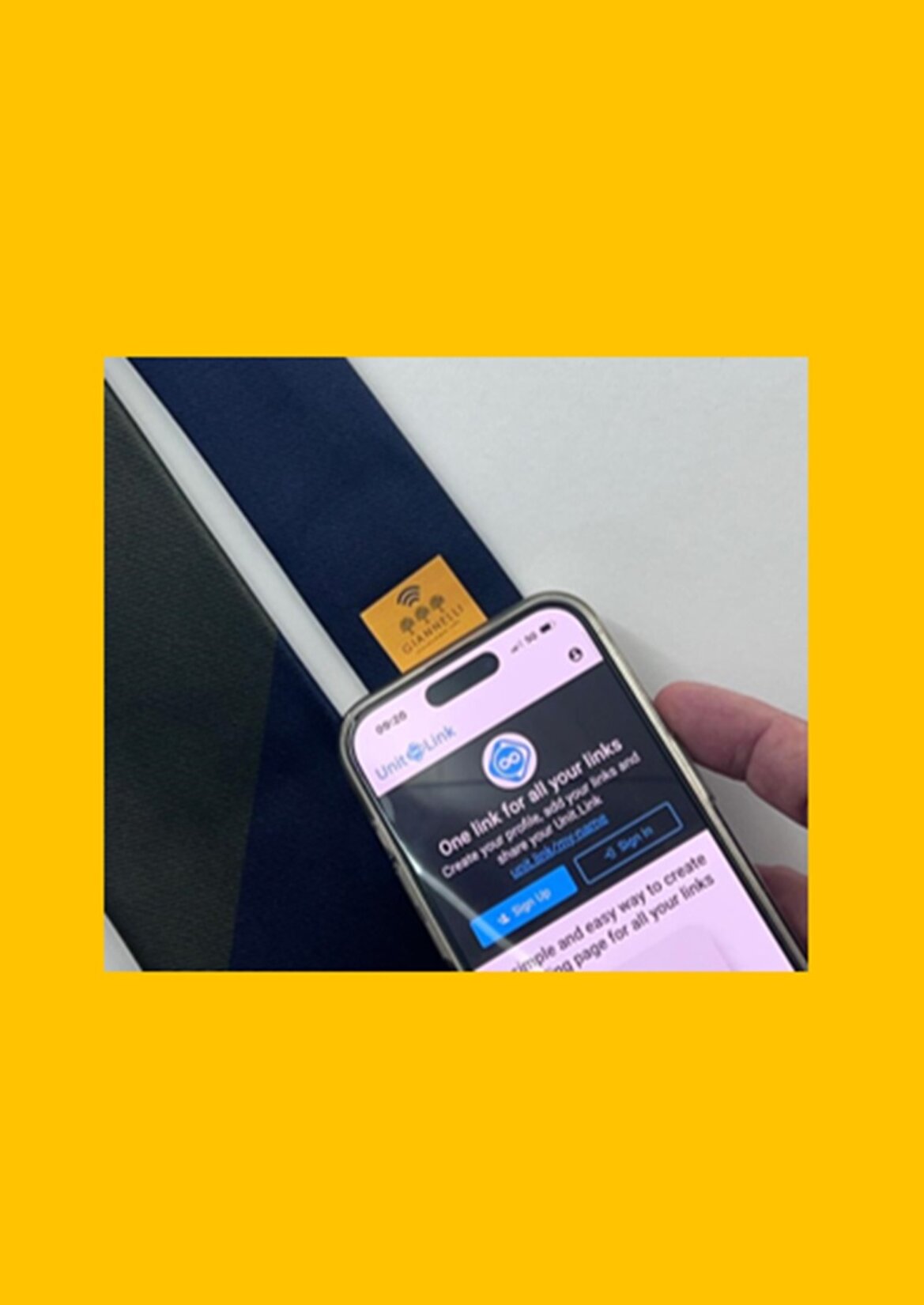
Associate the Tag
Step 1
Install an NFC tag writing app—NFC Tools. We recommend "NFC Tools" and will use it for this guide. You can download and install it by searching for "NFC Tools" in the Apple Store.
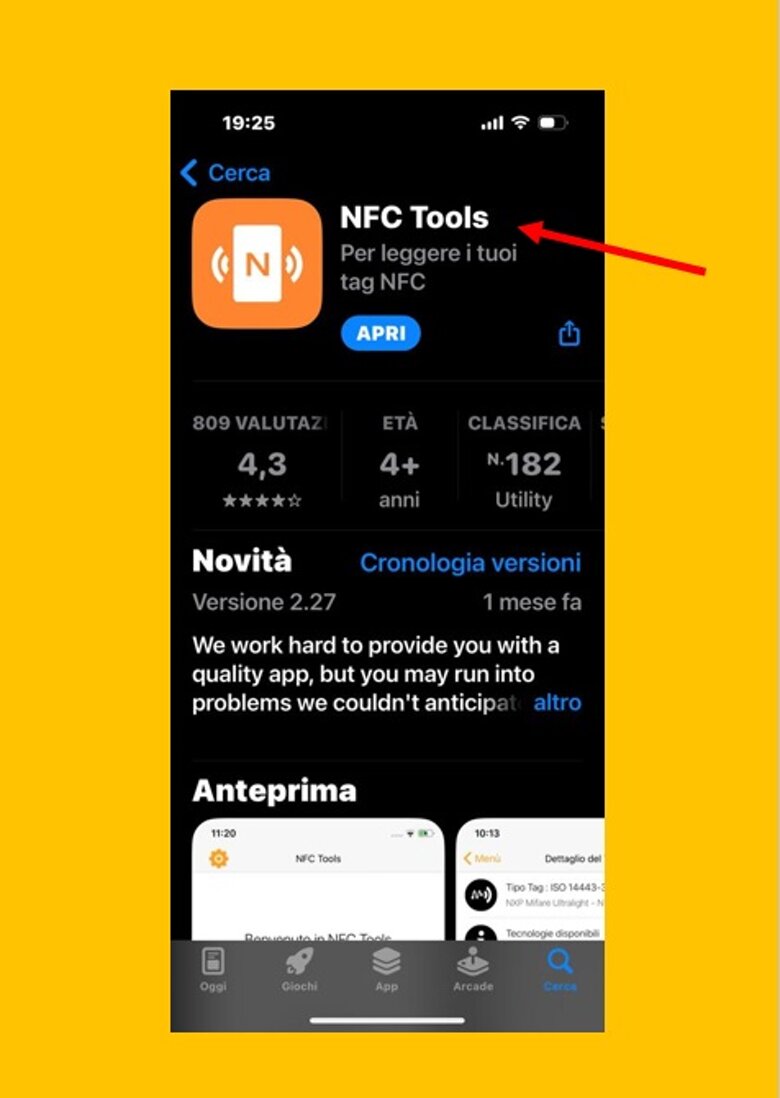
Step 2
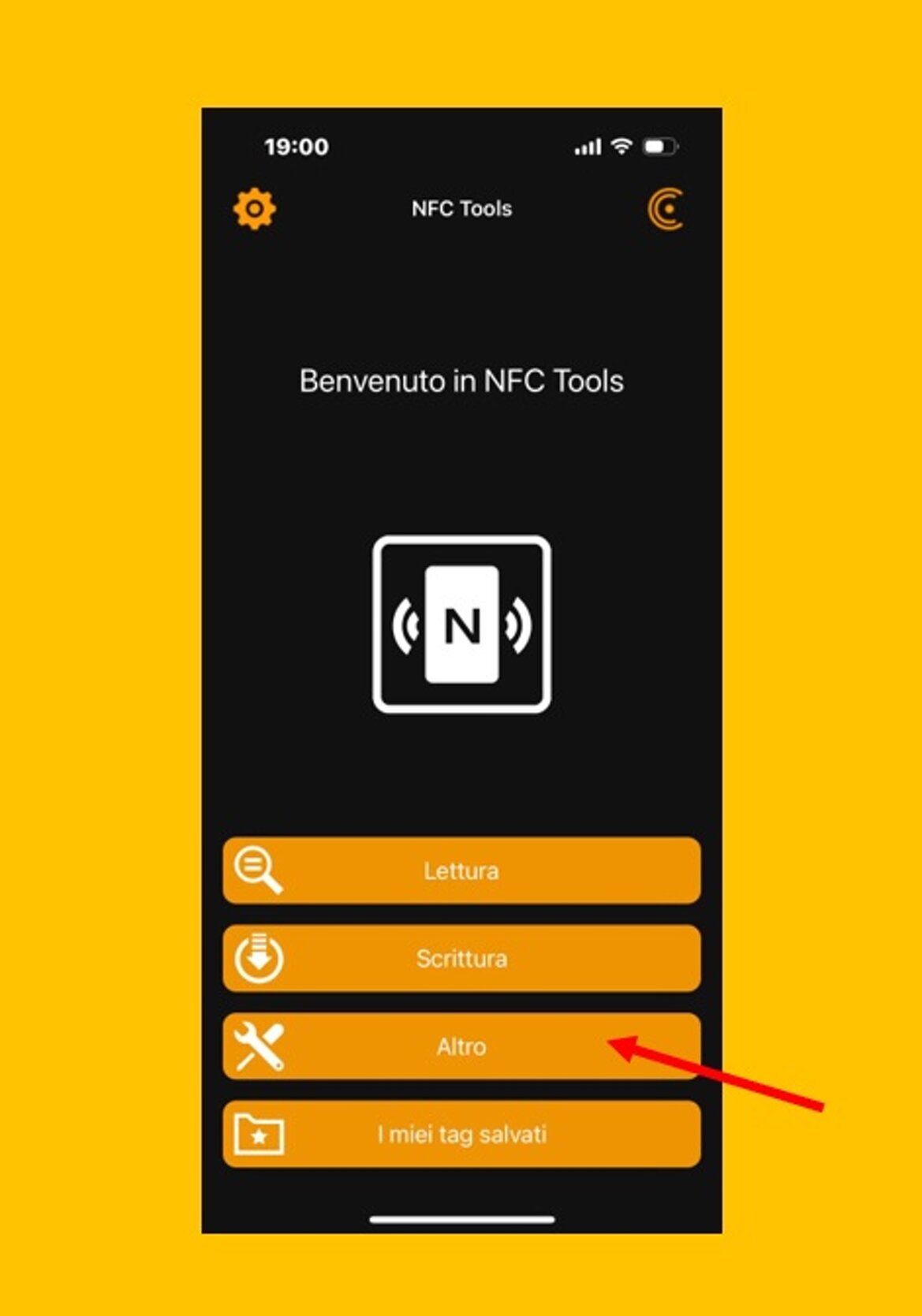
Open the NFC Tools APP and click on More.
Step 3
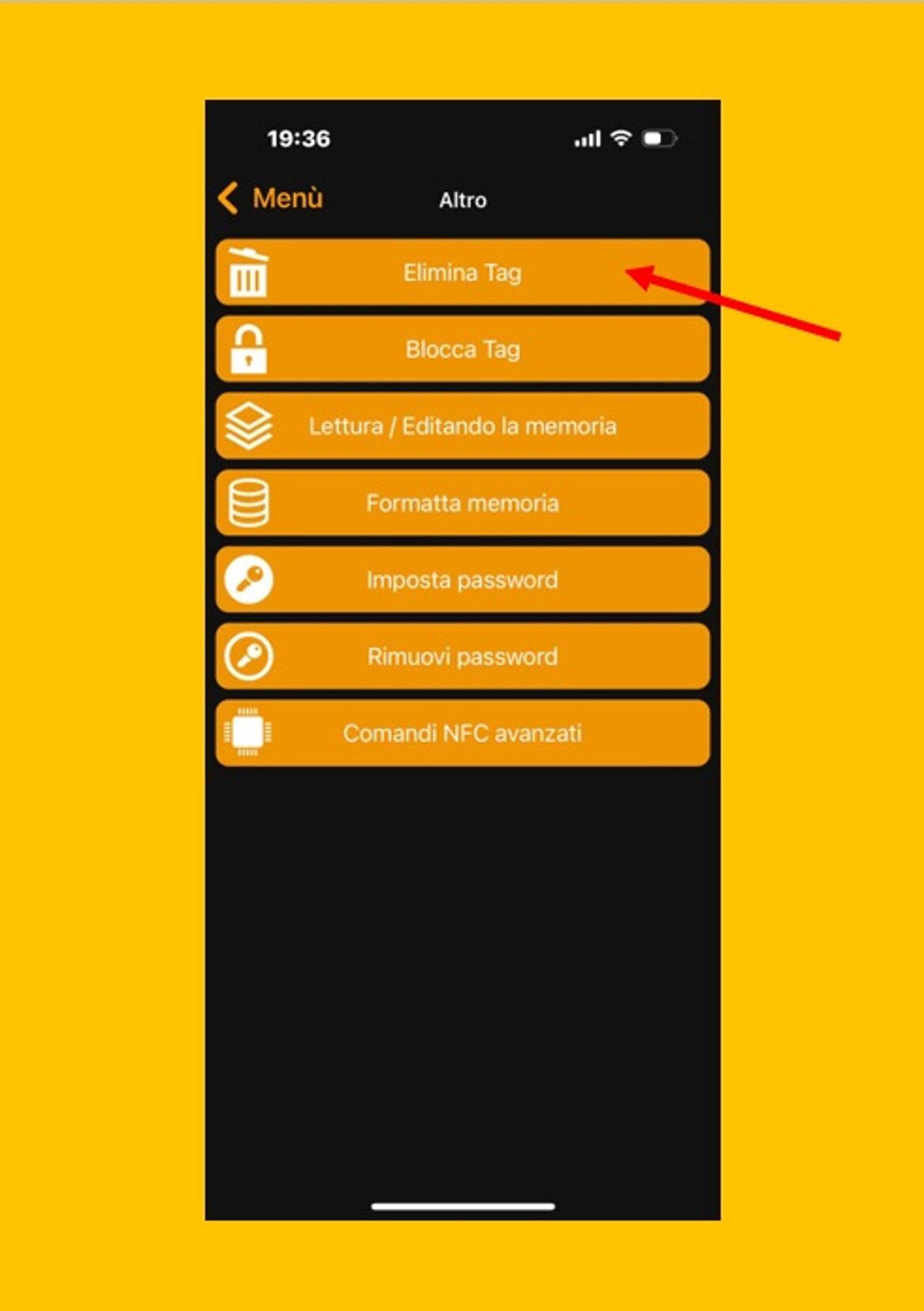
Remove Tag
Step 4
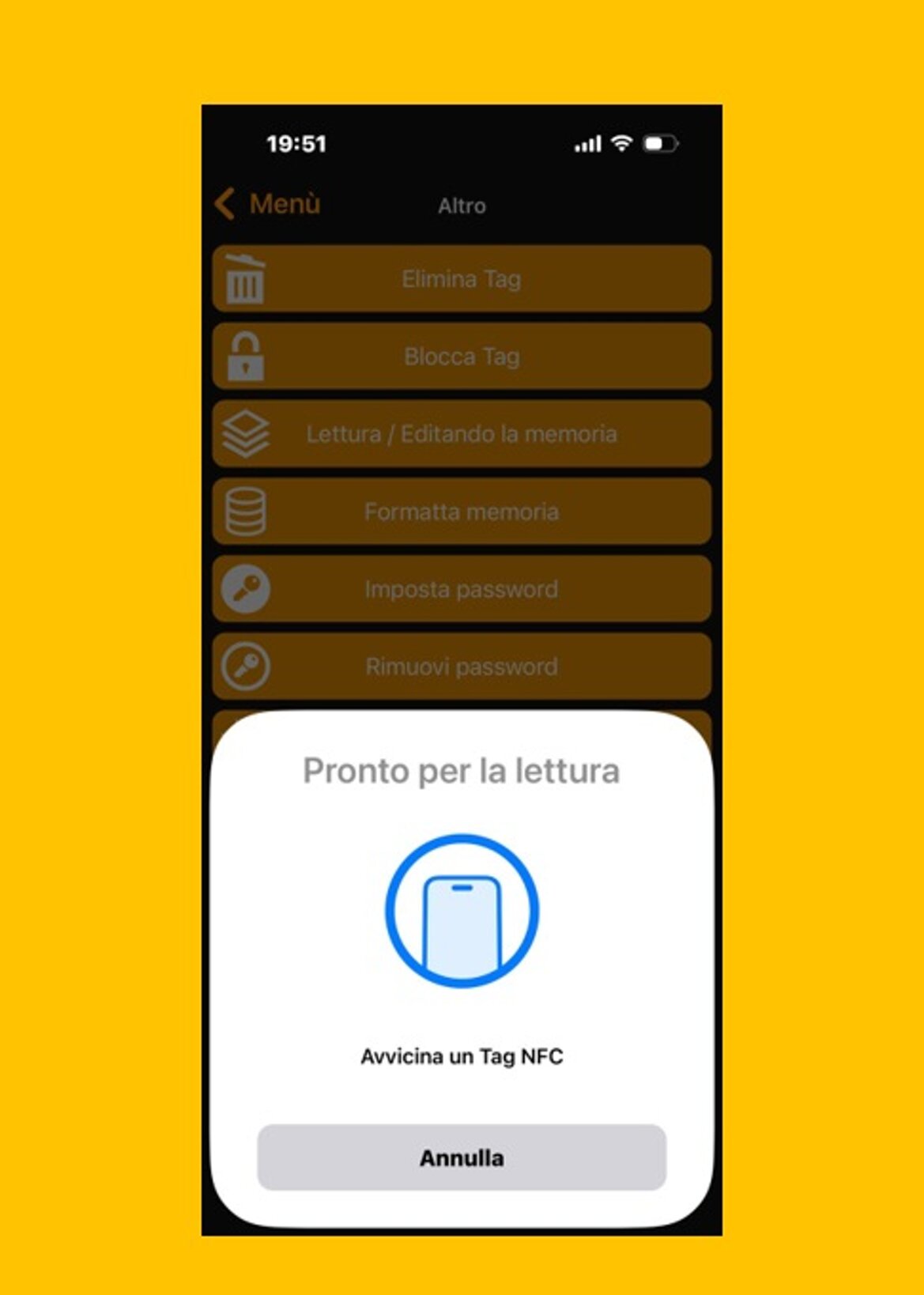
Slowly bring the phone close to the surface of the label until a check mark appears
Step 5
Step 6
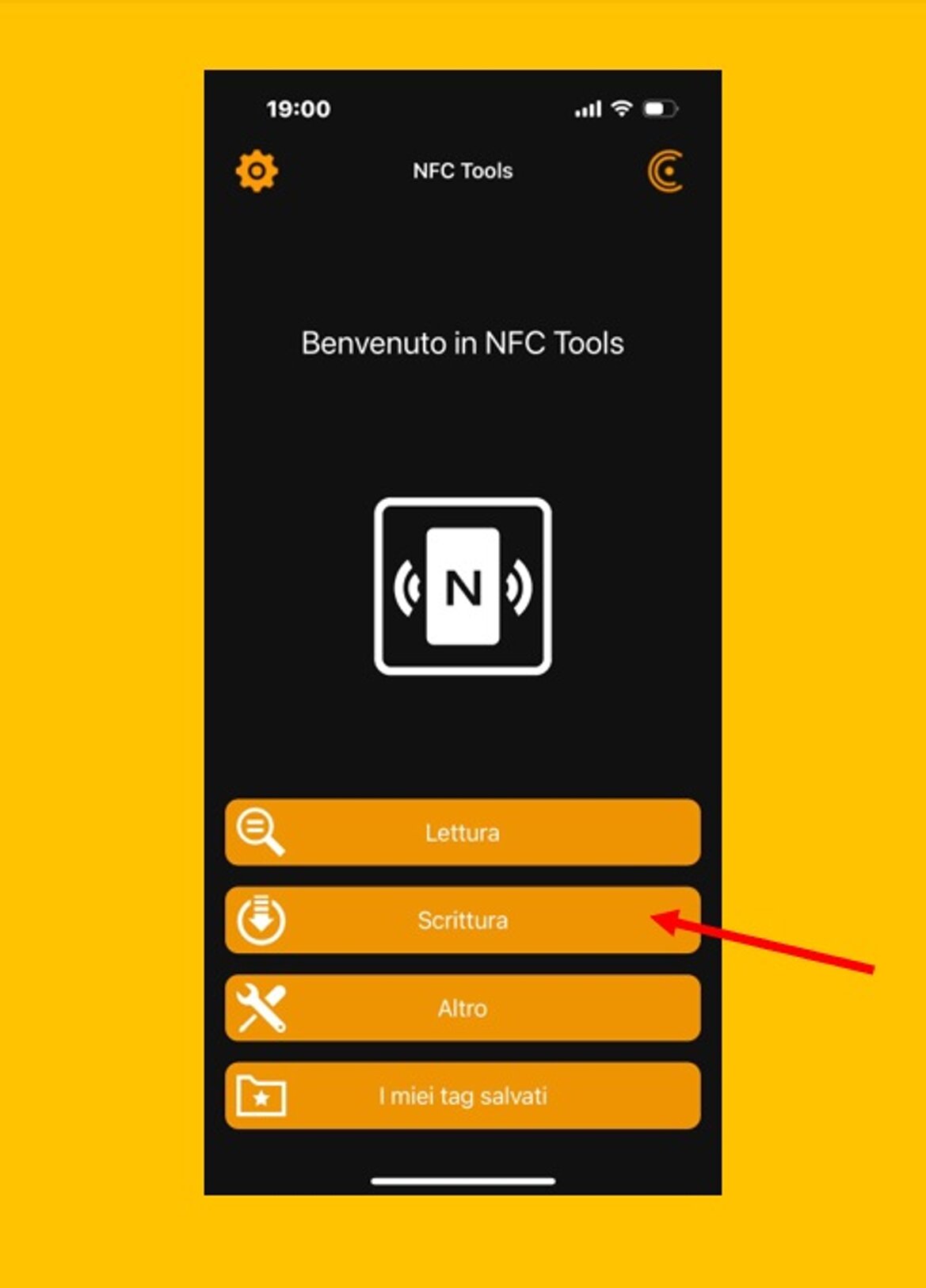
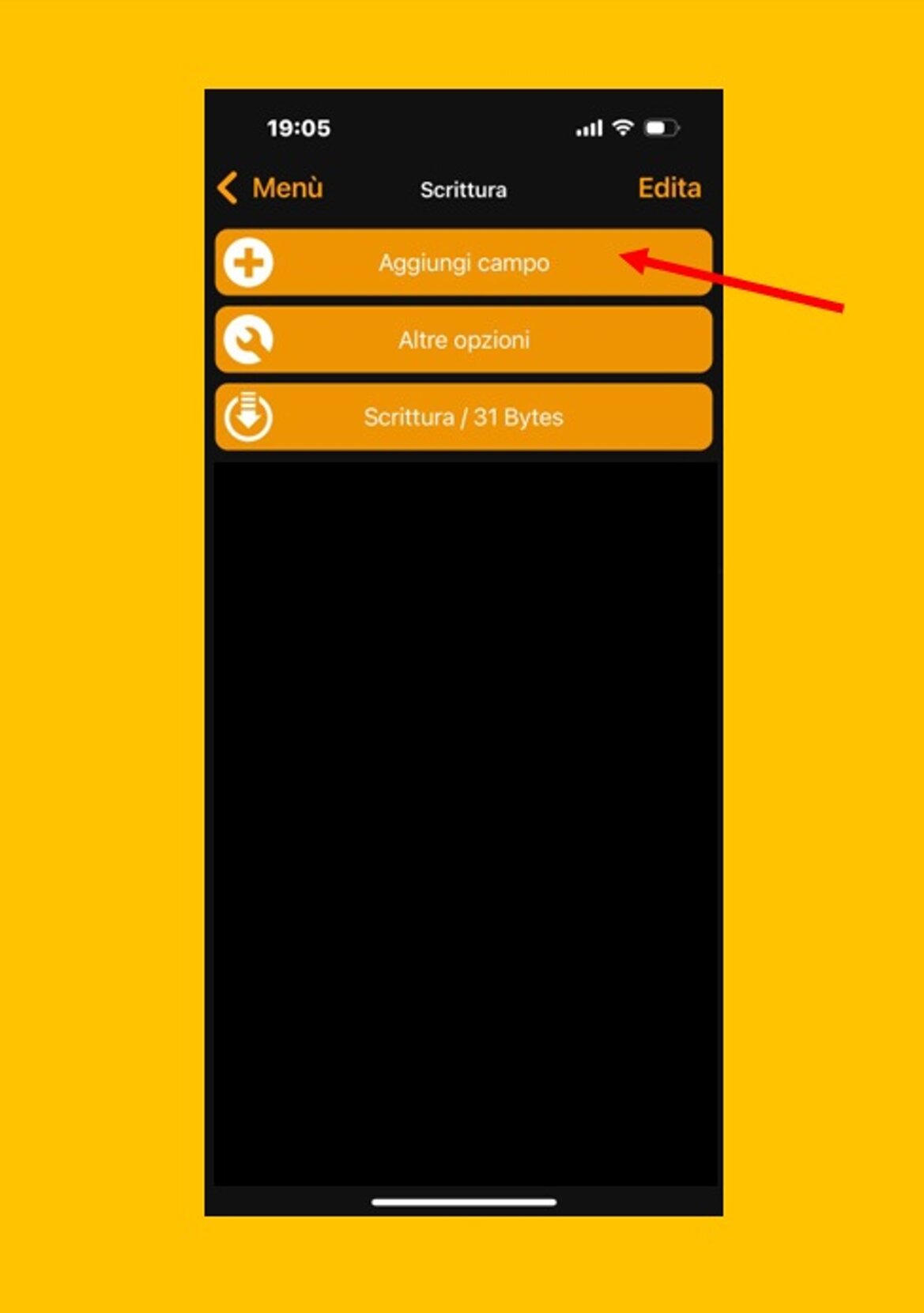
You need to add a record, so click Add field.
Step 7
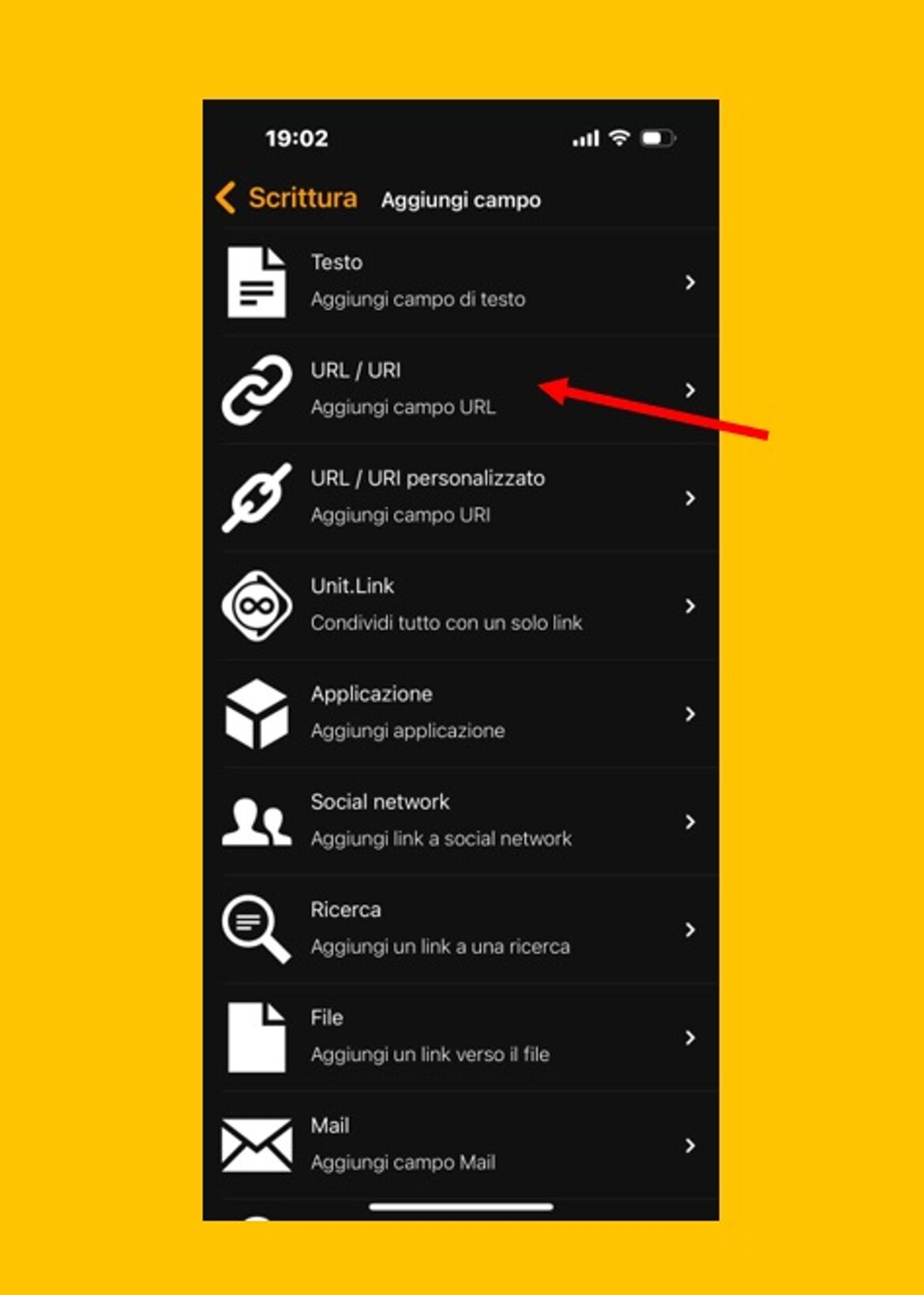
Add a URL record. Now you can see many different options for what to write in your tags. Let's take "URL" as an example, then select the "URL / URI" option to enter a URL.
Step 8
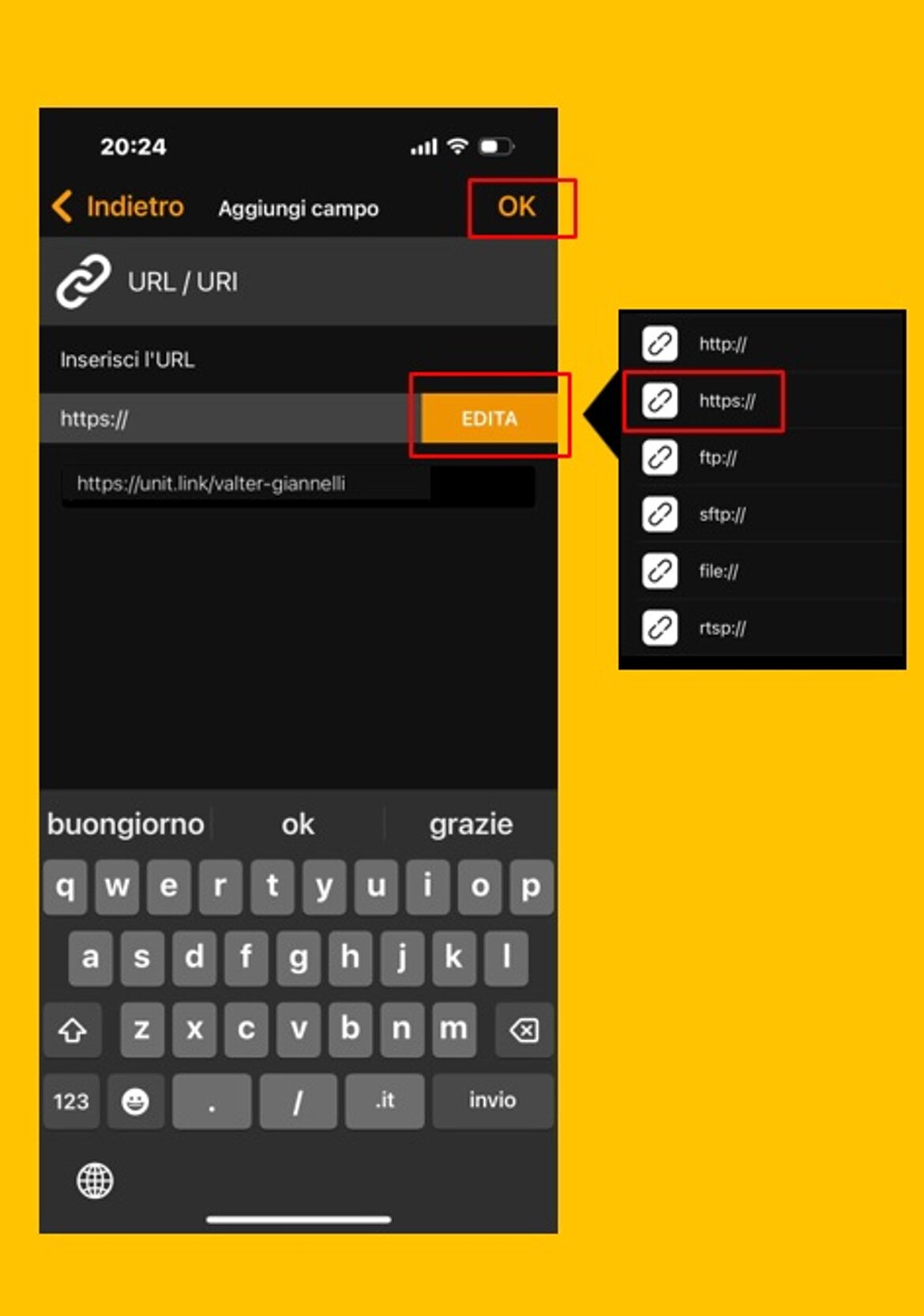
Enter your URL, click Edit, you will see many types of protocol. Select the protocol, enter the URL where you want to write, and click OK.
Step 9
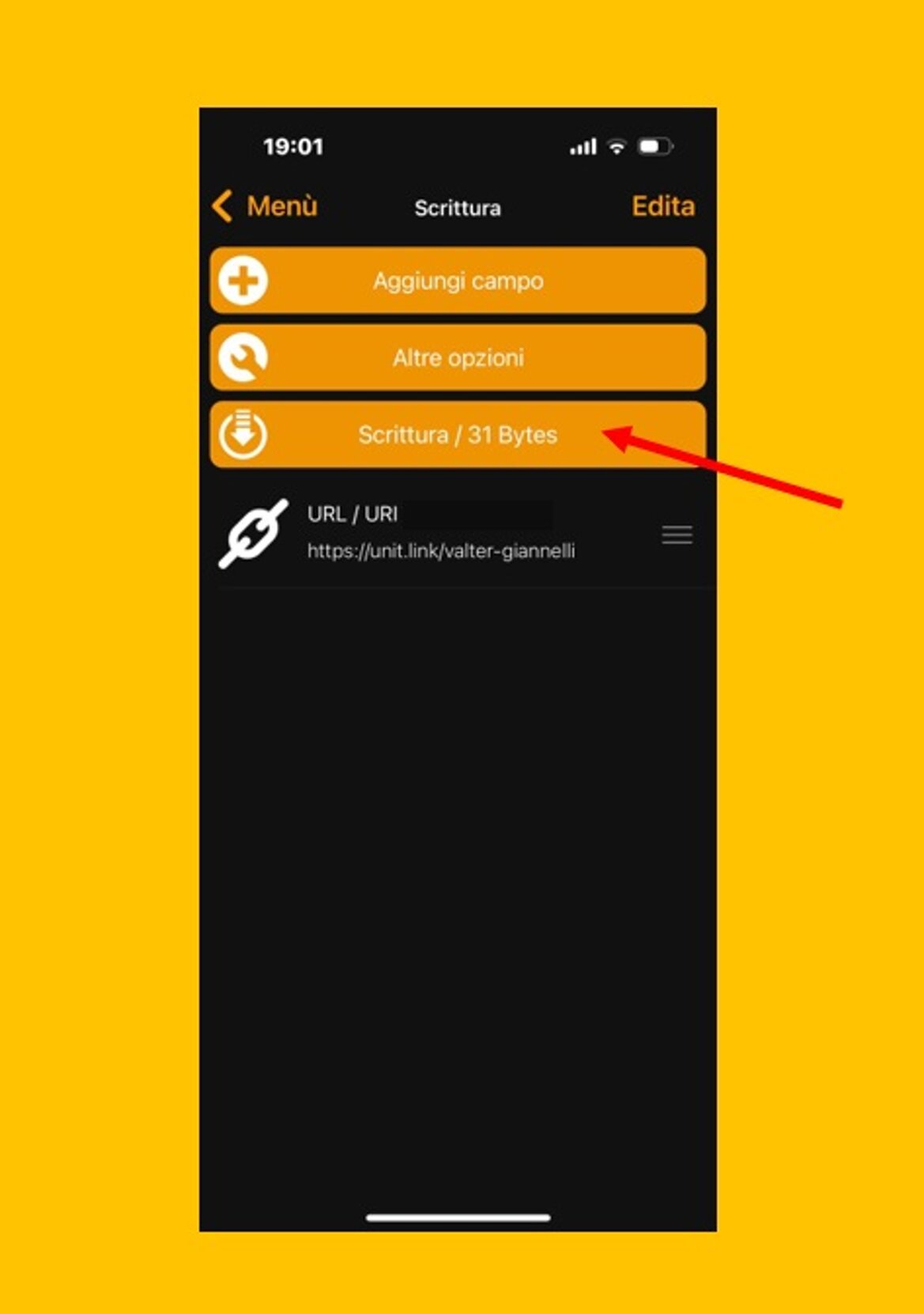
Now, you need to place the prepared NFC tag on the NFC chip position of the phone and click on write, then congratulations, you have just successfully written the URL to the NFC tag.
Step 10
Read the tag. By gently bringing the label of the Tie close to the NFC tag, the phone can also immediately respond to the function in the tag.
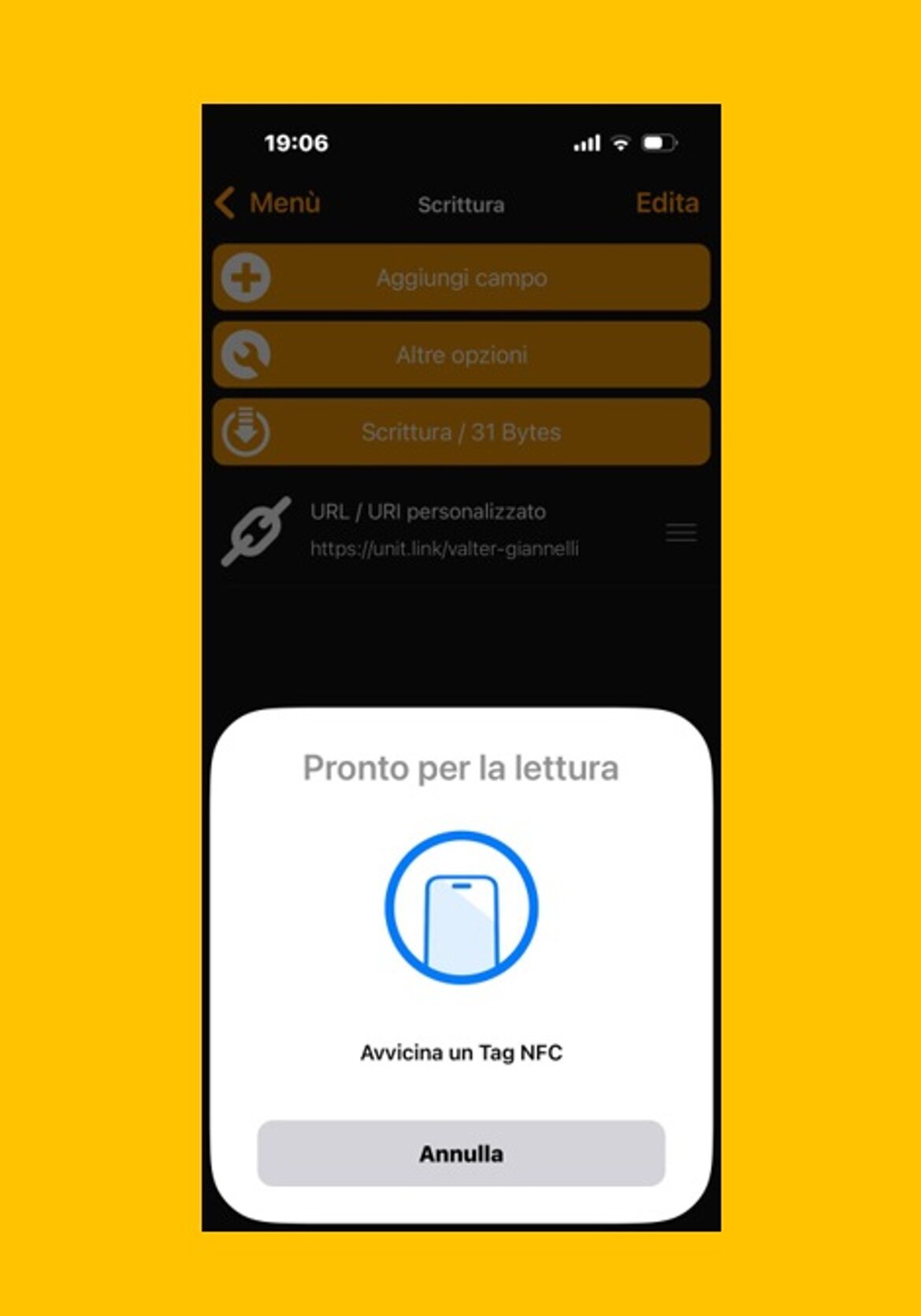
Congratulations, operation completed
Now gently swipe your phone near the label and the link will appear again.
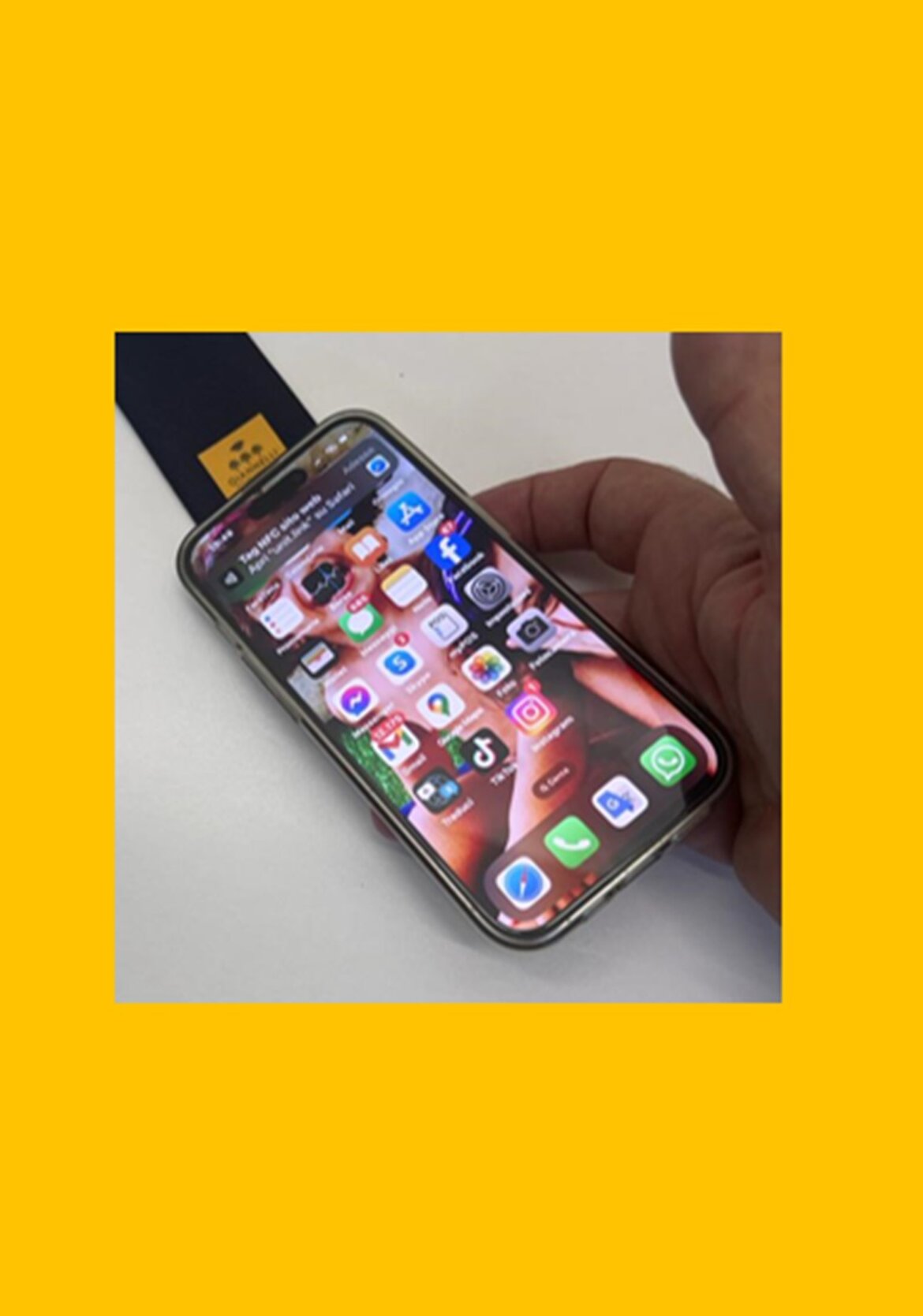
You did it!
Now, by clicking on the link, your landing page that you created during registration will appear. So now, whenever you bring any phone close, the link will appear and by clicking it, your profile will appear.
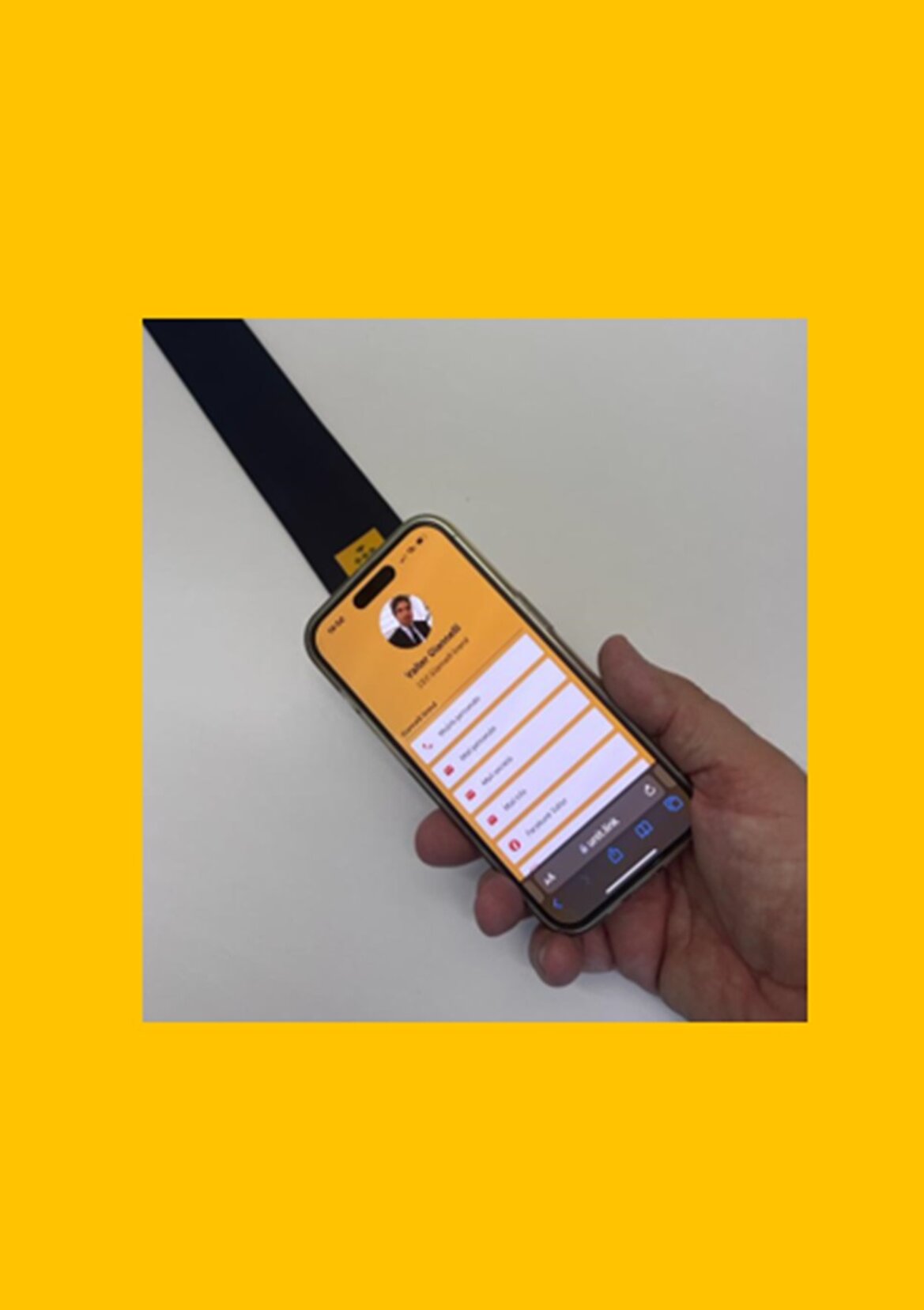
Support
If you have any questions or need assistance, do not hesitate to contact us: info@giannellihandmade.it
Thank you again for your choice.